
You can have a disaster recovery plan (DRP) that looks great on paper. That does not mean it will work when something breaks. Until you have tested it, you are guessing.
This post covers why testing matters and the five methods we use to find out whether a plan holds up.
Why testing your disaster recovery plan matters
Testing is the difference between a controlled recovery and a scramble. A few specific reasons to do it on a schedule:
Identifies hidden flaws
Every plan has gaps the people who wrote it could not see. A test surfaces them while nothing is on fire, so you can fix them cheaply.
Minimizes downtime
When your team has run through the recovery steps against a mock incident, they move faster and second-guess less during the real thing. Faster recovery means less lost revenue and less disruption to the business.
Protects your data
Customer data is the thing criminals want most from you. Regular testing, done with an IT partner who has run restores before, confirms the backups are good and that the data comes back intact and in a reasonable amount of time.
Builds team confidence
A network failure or a cyberattack can stop operations with no warning. If your team tested the plan last quarter, they know what to do. You get to run the business instead of directing traffic.
Keeps you compliant
Many industries have rules around data protection and disaster recovery. Regular testing helps you meet them and gives you records to show an auditor. It also lowers your exposure to fines and lawsuits if something does go wrong.
Top disaster recovery testing techniques
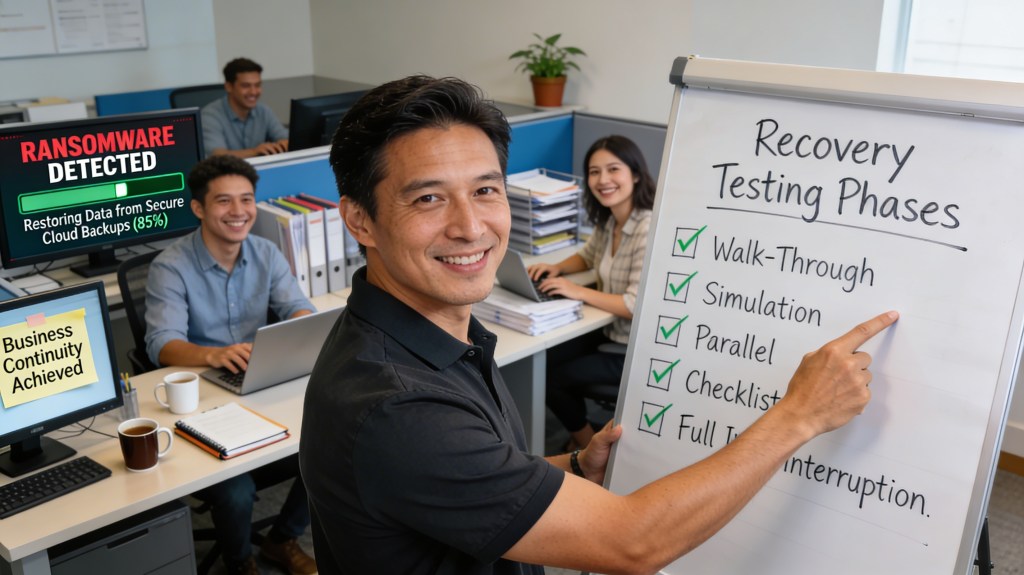
These are the five methods we see used most, roughly in order of effort. The lighter ones are a good place to start. The heavier ones tell you more.
1. Walk-through testing
The simplest form. Your team sits down and talks through each stage of the recovery plan, step by step. It sounds too basic to be useful, and then someone asks "wait, who has the password for that?" and you have found your first gap. It is also the fastest way to make sure everyone knows their role before a crisis.
Best for: Teams new to DR testing, or as a starting point before more advanced testing.
2. Simulation testing (tabletop exercises)
A tabletop exercise takes a specific scenario, say a ransomware infection or a server failure or a storm that closes the office, and has your team role-play their response. It shows where the plan is thin and how well people make decisions under some pressure.
Best for: Testing how the team makes decisions and coordinates a response.
3. Parallel testing
Parallel testing brings your backup systems up alongside your primary systems without taking anything offline. You find out whether the recovery environment works and whether it can carry a full workload, and the business keeps running during the test.
Best for: Validating backup systems without any risk to live operations.
4. Checklist testing
Checklist testing measures the plan against a list of what it should contain: data backups, failover procedures, communication steps, vendor contacts, and so on. It is useful for catching things that fell out of date as the business grew and the IT environment changed under it.
Best for: Routine audits and compliance verification.
5. Full interruption testing
The most thorough method and the most demanding. A full interruption test simulates a complete disaster and activates the entire recovery plan as if it were real. It takes careful planning and it may cause some temporary disruption, but it gives you the truest picture of how the plan performs.
Best for: Organizations that need the highest level of assurance that the plan works.
Test it before you need it
Only trust a recovery plan as far as you have tested it. Start with a walk-through if that is all you have time for this quarter. Work up to a parallel or full interruption test when you can.
At safemode IT, we do not hand you a plan and walk away. We test it with you and stay involved, so you know where things stand before you ever need it.
Ready to put your disaster recovery plan to the test? Contact us today for a free, no-obligation consultation.
Not sure your IT is as solid as it should be? Take 10 minutes and tell us about your setup. No pressure, no obligation.
Book a 10-Minute Discovery Call →Frequently asked questions
What is disaster recovery testing?
Disaster recovery testing is running your recovery plan against a mock incident to confirm it works before a real one hits. It surfaces gaps you could not see during planning, checks that backups restore, and makes sure the team knows their roles.
What is the difference between a walk-through test and a tabletop exercise?
A walk-through is your team talking through each stage of the plan together to make sure everyone understands their role. A tabletop exercise goes a step further by role-playing a specific scenario, like a ransomware attack or a server failure, so you can see how the team makes decisions under pressure. Walk-throughs are the easiest place to start.
Can we test our backups without taking systems offline?
Yes. Parallel testing brings your backup systems up alongside your primary systems while the business keeps running. It confirms the recovery environment works and can handle a full workload, with no risk to live operations.
Which disaster recovery test is the most thorough?
Full interruption testing. It simulates a complete disaster and activates the entire recovery plan as if it were real. It takes careful planning and can cause some temporary disruption, but it gives the most accurate picture of how your plan will perform.
Can safemode IT test our disaster recovery plan for us?
Yes. We build the plan, test it with your team, and keep testing it as your systems change, so you are not finding out on the worst possible day. Learn more about our backup and disaster recovery services or reach out for a free consultation.
Last updated: April 7, 2026